How to Change Lyrics Without Replacing Vocals
Most people think changing song lyrics means hiring a singer or cloning a voice. After 600+ swaps, here's the workflow that keeps the original vocalist.
Posted by
 William H. Mason
Related reading
How to Make a Halloween Parody Song
I turned Ashnikko's Working Bitch into a Halloween parody with Overdub Studio: spooky lyrics, rescore takes, a trained voice model, and comping in the DAW.
How to Change Your Voice to Match Any Singer
The full workflow I use to make my voice match any singer: sing a rough guide vocal, train a voice model, and run the full song pass in Overdub Studio.
How to Replicate Horizon in Overdub Studio
Horizon is not going anywhere. Here is where to find it now, and how Manual Extension in Overdub Studio replicates its exact start and end time workflow.
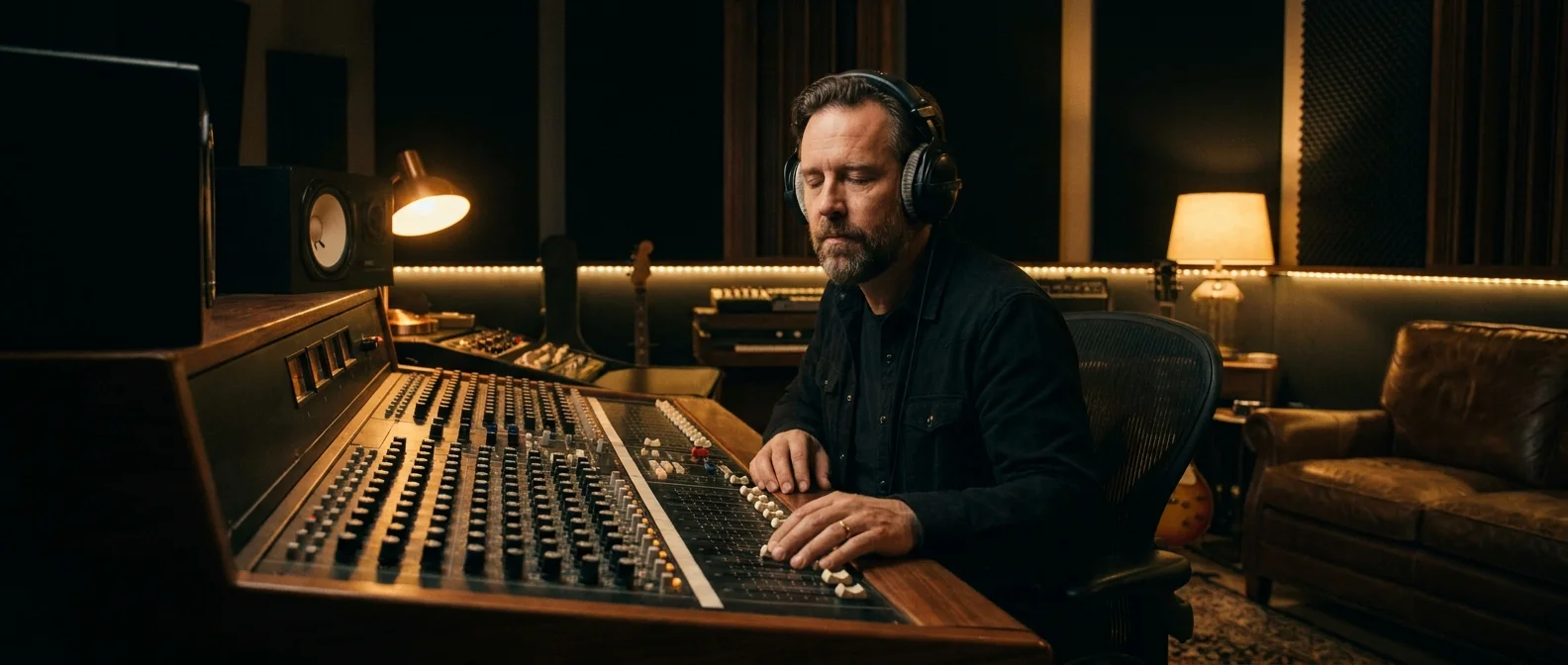
The first thing people ask when they want to change the lyrics of a song is whether they need to hire a singer. For most projects the answer is no.
After 600+ projects through my done-for-you service and building ChangeLyric, the honest truth is that most lyric changes do NOT require replacing the vocalist. The original singer's voice can stay and you only swap the words.
That said, I want to be honest up front: AI cannot replicate every kind of vocal phrase perfectly, and there are real cases where a pure lyric swap will not carry the section. This post walks through how the workflow actually works, when it is the right call, where it hits its limits, and how the other inpainting tools on the market (Suno, Udio, Mureka Edit) stack up.
What People Mean by "Vocal Replacement"
Vocal replacement is shorthand for several different things, and that is part of why the topic gets so muddled when people start researching options.
The most common interpretation is hiring a session singer to re-record the song with new lyrics. That path is expensive, slow, and almost never matches the original artist's tone closely enough to feel like the same record.
The second interpretation is voice cloning, also called RVC (Retrieval-based Voice Conversion). You generate or record a vocal, then run it through a model trained on a specific singer to make it sound like them.
Tools like Applio let you train your own models locally if you are technically inclined. The catch is the local setup: a capable GPU, Python environments, model formats, training time. ChangeLyric ships with 200+ curated voice models (and supports custom model training) so you can run RVC passes from the browser without owning a GPU or fighting a local install.
The third interpretation is full re-generation in a tool like Suno or Udio. These tools generate a brand-new song from a text prompt. The result might rhyme with the original concept, but the voice, the melody, and the arrangement are all freshly produced AI output.
All three approaches have their place. None of them are required for the standard job of changing a few lines while keeping the song's identity intact.
The Pure Lyric Swap Workflow
The approach that works for the majority of projects is what I call a pure swap. Audio in, audio out. No session singer, no voice cloning, no full regeneration.
Under the hood, the engine isolates the vocal stem from the rest of the mix. It then generates new vocal audio for only the lines you flagged for change, using the surrounding original audio as a tonal reference so the new words sound like they were sung by the same person in the same session.
The output is the same singer, the same instrumental, the same arrangement. The only thing that has shifted is the actual words. Done well, the average listener will never notice the seam.

Why a Pure Swap Beats Vocal Replacement Most of the Time
A pure swap wins on speed, cost, and consistency for the vast majority of jobs. Hiring a singer means scheduling, performance fees, multiple takes, pitch correction, and hours of mixing to match the original's processing chain.
Even with RVC, you still have to record a pilot vocal first, run the conversion, then deal with timing drift and pronunciation issues that voice models routinely introduce. A pure swap skips all of that overhead and lands closer to the source on the first try.
The biggest reason though is CONSISTENCY. Clients want the song to feel exactly like the original with new words layered in. A different voice, even a flawless one, breaks the emotional bond the listener already has with the recording.
I covered the deeper version of this argument in 600 lyric swaps, and the short version is that pure approaches win roughly 90% of real-world projects. Vocal replacement is a fallback, not the default.
Where Pure Lyric Swap Hits Its Limits
The single biggest limitation of any AI lyric swap engine right now is polyphony. By polyphony I mean dense vocal stacks: layered backing harmonies under a lead, doubled choruses with two or three voices in unison, gang vocals, harmony moments where a soloist is suddenly singing a third above themselves.
Monophonic solo vocals (one voice, one note at a time) are the bread and butter of every modern AI vocal model. That is what these tools were trained for and that is where they shine.
Polyphonic phrases are an order of magnitude harder. The engine has to reconstruct multiple intertwined voices simultaneously while keeping their timbres distinct, and no engine in ChangeLyric currently handles that as cleanly as Suno or Udio do (more on those tools below). If a section in your song is heavily layered, expect imperfections on the first try.
The workaround: target the vocal layer and retry strategies per section in Overdub Studio.
Overdub Studio gives you two levers the old workflow did not have. First, vocal layer targeting: when a backing vocal or counter melody sings different words than the lead, select the backing layer and generate just that part instead of the full stack. Second, the strategy loop: queue a take, hear the miss, and run the next section with a different strategy or scramble setting, with failed takes refunded automatically. I used to export layers from the DAW and process each one by hand through the old engines; now it happens inside the tool. The Studio launch post walks through the full workflow.
Beyond polyphony, there are a few legitimate cases where you actually do need a different voice in the chain rather than just a different workflow.
You want the song in a completely different style.
A heavy metal cover of a country ballad. A soul rendition of a rap track. At that point you are not changing lyrics, you are recording a cover, which is a different project entirely and needs a singer who can deliver that style.
Your new lyrics push outside the original vocalist's range.
Adding a chorus that requires a high belt to a track originally sung in a soft head voice will not work, regardless of the tool. The original performance does not contain the reference data the engine needs to extrapolate that high. In this case you either rewrite the lyrics to stay in the original range or accept that you need a new vocalist.
The source recording is too rough to isolate clean vocals.
A cell-phone concert capture or a karaoke track with crowd noise can give the engine a bad reference. This is real but mostly fixable with a higher-quality source. Polyphony is the limit you cannot just upload your way out of.
For monophonic solo vocal swaps on a clean source, the original singer stays. That covers most birthday songs, anniversary surprises, corporate parodies, dedications, and the long tail of personal-use lyric swaps that walk in the door.
The Step-by-Step Workflow
Here is how to actually change lyrics in a song without replacing the vocals. The full version is documented in the complete AI lyric workflow, but the condensed version is below.
Step 1: Write the New Lyrics First
Match the syllable count of the original line as closely as possible. If the original has eight syllables, your replacement should land around seven to nine.
Cramming twelve syllables into a slot built for four will sound forced no matter how good the engine is. This is the single biggest mistake people make on their first attempt.
Overdub Studio is where this happens now: paste your original and new lyrics line for line (including section tags like [Verse 1] and [Chorus]), lock the sections, and generate the changed ones with a strategy you pick. The older editor still offers the Classic mode per-line pass, which stays useful for dense rap, but the guided Studio workflow covers everything else.
Studio shows you exactly which lines changed per section and which takes came back usable, which makes it much harder to accidentally rewrite a section you did not mean to. For one-or-two-line precision work, inpaint with the Single scramble setting changes one line per pass with the highest melody success rate.
One thing to be honest about: it is very common for the output to need a follow-up pass through a custom RVC voice model to truly nail the singer's timbre, especially on tonally distinctive vocalists. The swap gets you 80-90% of the way there, and a targeted RVC pass closes the rest of the gap. That step is now built into the workflow: Upscale Vocal in any Studio project trains a voice model from the song's isolated lead vocal (30 credits), and the model lands in the Voice Changer ready to use.
Overdub Studio walkthrough (14 min)
Our newest editor. Replaces the older Overdub and Horizon tools with one guided workspace for every kind of lyric swap, from tagging your lyrics to downloading stems.
- 0:00Welcome to Overdub Studio
- 0:43Uploading your song
- 1:00Tagging your lyrics
- 1:58Matching tags and line counts
- 2:25Locking lyrics and checking sections
- 3:25Choosing a generation strategy
- 4:03When to use inpainting
- 4:48Extension types explained
- 5:56Manual extension
- 6:42The experimental mixer
- 7:08Scramble options: none, alt, single
- 7:45Vocal layering and backing vocals
- 8:52Changing lyrics for the backing layer
- 9:52Listening back to the inpaint take
- 10:56Queueing takes and marking keepers
- 11:29Redetecting section times
- 11:59About the 50% fail rate
- 12:37What it struggles with: opera and musicals
- 13:08Training a voice model
- 13:48Downloading stems and comp lanes
Step 2: Pick the Lines You Want Changed
The fewer words you change at once, the better the engine performs. Whole-line swaps work better than mid-line word edits.
Alternating untouched lines with rewritten ones gives the system anchors back to the original melody, which dramatically improves how natural the swap sounds.
Step 3: Upload and Align
Upload the song and let the tool transcribe and align the audio. The engine needs word-level timing data to know exactly where to cut in your new words.
Step 4: Run the Swap
Type the new lyrics into the editor and generate. For most full songs you will need three to eight passes to get every section right. Treat the first run as a draft, not a finished product.
Step 5: Listen Critically
The most common issue is not bad vocals overall, it is tonal mismatch on specific syllables. Sibilance is the biggest tell, and there are practical fixes for it documented in the linked piece.
Ready to Transform Your First Song?
Join thousands of producers & clients who use ChangeLyric.
✓ Free trial available ✓ No content moderation ✓ Cancel anytime
DIY vs Done-For-You: Pick the Right Path
ChangeLyric exists in two forms and they are NOT for the same audience. Sending the wrong reader down the wrong path is how good projects turn into bad gifts.
The DIY tool is a professional tool for users who already have audio editing instincts. You should be comfortable iterating on output, listening critically, adjusting syllable counts, and re-running generations until it sounds right.
It is not a one-click box that turns text into a finished song. If you have never opened a DAW or edited a vocal before, the DIY path will frustrate you and the output probably will not land.
If the lyric swap is for a gift, an event, or anything where the result has to be RIGHT the first time, point yourself at the done-for-you service instead. I or someone on the team handles the writing, the iterations, the post-production, and delivers a finished file. The price reflects the work involved.
A failed DIY attempt is not faster or cheaper. It is a bad gift. Pick the path that actually matches your skill level and how much the result matters.

How ChangeLyric Compares to Suno, Udio, and Mureka Edit
Worth saying clearly: Suno and Udio also have inpainting and lyric-changing features. They are not just text-to-song generators. So when people compare these tools to ChangeLyric, the meaningful comparison is between their inpainting modes, not their full-generation modes.
The reason most users still need ChangeLyric is copyright moderation. Suno and Udio both apply aggressive content filters that block any project touching a recognizable copyrighted song, with a fair share of false positives that flag entirely original tracks too. If you brought in a real song you want to modify, both tools effectively cut you off before you can even render.
Udio
Udio probably has the best raw inpainting engine on the market right now. Output quality on a clean original song is excellent and the model handles polyphony better than most competitors.
The catch is that Udio gets the biggest strike of any tool in this comparison. Moderation is the most aggressive of the three, false positives are common, and downloads are disabled in many flows, which makes it almost useless for actual production work no matter how good the engine is underneath.
Suno
Suno's inpainting is solid, second only to Udio in pure output quality. It also handles polyphonic stacks better than the current ChangeLyric v3 engine.
Two caveats. The same copyright moderation problem applies, so a lot of real-world projects get blocked. And Suno has a habit of subtly shifting the singer's voice across the inpainted region, which sometimes requires an extra RVC pass on top to bring the timbre back in line with the rest of the track.
Mureka Edit
Mureka Edit is decent in some cases. I tried it recently. Worth knowing about, not necessarily worth paying for as your primary tool.
ChangeLyric
Where ChangeLyric wins: no copyright moderation getting in your way, full file downloads, an RVC pass with 200+ curated voice models built in, and vocal-layer targeting plus per-section strategy retries in Overdub Studio for tougher polyphonic sections. Where it currently falls short: dense polyphony still trips the engines more than Suno or Udio, which is exactly why the layer-targeting and retry loop exists.
The combo I actually recommend
For the vast majority of pure lyric swap projects, the strongest workflow is ChangeLyric plus Suno's inpainting on the rare song where Suno's moderation does not block you. ChangeLyric does the bulk of the work without copyright friction, and Suno cleans up the few polyphonic sections where our engines struggle, with Studio's layer targeting and strategy retries as the fallback when Suno is blocked too.
Skip Udio unless you genuinely enjoy fighting moderation systems. The engine is good, but the experience around it is hostile to anyone trying to ship work.
Last thing worth saying: do not confuse any of this with full song generation. If you ask Suno or Udio to generate "a song that sounds like a famous ballad with new lyrics," you get a brand-new singer, melody, and instrumental, not your original recording with new words. That is a different product solving a different problem, and AI cannot perfectly replicate every original recording. Some combination of these tools is generally fine for monophonic solo vocals, and that is the realistic expectation to set.
The Bottom Line
Most people show up to this problem assuming they need a singer, a producer, and a few thousand dollars. They do not.
The path through a pure lyric swap is faster, cheaper, and produces results that feel closer to the original song in almost every common scenario. Vocal replacement is the rare exception, not the default.
The skill you actually need is not vocal performance. It is writing replacement lyrics that respect the syllable structure, picking the right sections to change, and being willing to iterate until it sounds RIGHT. Or pay someone else to do that for you. Either path beats hiring a session singer for a song that already has a perfectly good one.
Ready to try it? Head over and try ChangeLyric if you have audio chops, or commission the service if you do not.
Copyright Reminder
Commercial rights from AI platforms only apply to ORIGINAL songs they generate. Modifying copyrighted songs gives you ZERO commercial rights to the result. The original copyright holder maintains all rights. Personal use exists in a legal gray area. Users are responsible for understanding applicable laws.
Frequently Asked Questions
On monophonic solo vocal sections, yes. A pure AI lyric swap regenerates only the new words using the original recording as a tonal reference, so the voice you hear in the output is rebuilt from the singer you uploaded. Done well, the seams are inaudible to the average listener. Heavily layered polyphonic sections are a different story (see below).
The biggest limitation is polyphony: dense vocal stacks, layered harmonies, doubled choruses. Current engines handle those less cleanly than Suno or Udio. The workaround in Overdub Studio is to target the backing vocal layer directly and retry the section with different strategies, with failed takes refunded automatically. You will also want a session singer for completely different musical styles (metal cover of a ballad) or when new lyrics push outside the original vocalist's range.
Yes. Both have inpainting modes, and Udio in particular has arguably the best inpainting engine on the market. The blocker is copyright moderation: both tools aggressively filter projects that touch recognizable copyrighted songs, plus regular false positives on original tracks. Udio also disables downloads in many flows. ChangeLyric does not apply that moderation, which is the main reason most users still need it for real-world projects.
ChangeLyric plus Suno's inpainting on the rare project where Suno's moderation does not block you, with Overdub Studio's layer targeting and strategy retries as the fallback for polyphonic sections. ChangeLyric handles the bulk of the work without copyright friction, and Suno cleans up the layered sections our engines struggle with. Skip Udio unless you enjoy fighting moderation systems.
For the DIY tool, yes. ChangeLyric's DIY is built for users who already iterate on audio output and don't mind running multiple passes. If you have never opened a DAW or edited a vocal before, the done-for-you service is the right path: we handle the iteration loop and deliver a finished file.
ChangeLyric ships with 200+ curated RVC voice models and supports custom model training, all in the browser. You don't need a local GPU, Python environment, or model conversion pipeline like you would with Applio or other local RVC tools. RVC is most useful as a clean-up pass when another tool (commonly Suno) shifts the singer's voice slightly during inpainting.
A pure swap on a full song typically runs three to eight takes per stubborn section in Overdub Studio, plus listening time and minor post-production. Active work is usually 30 to 90 minutes depending on how many lines you are changing and how clean the source audio is. Failed takes are refunded automatically, so the retries mostly cost time, not credits.
For stylistically different covers (metal version of a ballad, etc.) you sometimes have to. But for changing a few lines while keeping the song's identity, hiring a singer is slower, more expensive, and almost never matches the original artist's tone. For most monophonic solo vocal swaps, a pure AI swap wins on every metric.
Ready to Swap Some Lyrics?
ChangeLyric gives you unmoderated access to professional lyric swapping without replacing the vocalist. If you have audio chops, dive into the DIY tool. If you want it handled for you, the done-for-you service is one click away.
Try ChangeLyric Free