The Best Way To Change A Vocalist With AI in 2026
Three methods compared for changing a song's vocalist with AI: Suno's persona feature (unreliable in 2026 due to Suno's flip-flopping audio-upload policy), RVC pre-processing (still valid, hard to do locally), and ChangeLyric's Voice Changer (200+ curated artist models + custom voice cloning, no local install). This is craft, not a button press.
Posted by
 William H. Mason
Related reading
How to Change Your Voice to Match Any Singer
The full workflow I use to make my voice match any singer: sing a rough guide vocal, train a voice model, and run the full song pass in Overdub Studio.
The AI Voice Changer Just Got a Big Silence Fix
A walkthrough of the updated ChangeLyric voice changer: no more manual clipping, better silence handling, how to run a conversion, picking voices with tags, and training your own custom models.
Why Doesn't the Preview Audio Have My Changes? [Studio + Classic]
Short answer: what you are auditioning is a rough mockup or a raw take, not the deliverable. Your actual swap lives in the stems and comp lanes, and those require assembly in a DAW. Here is how the output actually works and what to do with it.
Suno Persona Policy in 2026
Suno has flip-flopped on what audio you are allowed to upload for personas throughout 2026. The feature has been enabled, restricted, re-enabled with new rules, and tightened again. The persona-based workflow below may or may not work the day you read this article. ChangeLyric's Voice Changer is a more reliable path: 200+ curated artist models and built-in custom voice cloning, no platform-policy risk.
Overdub Studio walkthrough (14 min)
Our newest editor. Replaces the older Overdub and Horizon tools with one guided workspace for every kind of lyric swap, from tagging your lyrics to downloading stems.
- 0:00Welcome to Overdub Studio
- 0:43Uploading your song
- 1:00Tagging your lyrics
- 1:58Matching tags and line counts
- 2:25Locking lyrics and checking sections
- 3:25Choosing a generation strategy
- 4:03When to use inpainting
- 4:48Extension types explained
- 5:56Manual extension
- 6:42The experimental mixer
- 7:08Scramble options: none, alt, single
- 7:45Vocal layering and backing vocals
- 8:52Changing lyrics for the backing layer
- 9:52Listening back to the inpaint take
- 10:56Queueing takes and marking keepers
- 11:29Redetecting section times
- 11:59About the 50% fail rate
- 12:37What it struggles with: opera and musicals
- 13:08Training a voice model
- 13:48Downloading stems and comp lanes
One of the most common questions I get from clients of ChangeLyric's done-for-you service is how to change the vocalist on an AI-generated song. They want their own voice or a specific singer instead of whatever Suno or Udio spit out.
Before we get into methods, the honest framing: full vocal swaps are production craft, not a button press. Every AI music tool out there pitches one-click magic. None of them actually deliver it on a real master.
Expect to chain multiple tools together, comp 5 to 10 iterations, and do real DAW work after. The methods below are stops along a workflow, not finished products. Anyone who tells you otherwise is selling something.
With that out of the way: I ran an experiment to test two original approaches and have since added a third path we built ourselves once Suno's persona policy got unreliable. The simple way, the technical way, and the curated way.
The Three Methods on the Table in 2026
Method 1: Suno Persona - Upload your song, create a persona from 30 seconds of target vocal, and let Suno do the heavy lifting. Fast and straightforward when it works. The catch in 2026: Suno keeps flip-flopping on what audio uploads are allowed, so the method can stop working overnight.
Method 2: RVC Pre-Processing - Isolate the lead vocal, convert it using a trained RVC model to sound like the target singer, then feed that converted audio back to Suno or splice it into the master. Still valid in 2026, but the local tooling is not friendly. Expect Python, dependency hell, CUDA mismatches, and a real GPU.
Method 3: ChangeLyric Voice Changer - Use the curated Voice Changer at changelyric.com with 200+ pre-trained artist models, or upload your own training audio for custom voice cloning on all plans. We built this specifically because RVC locally is brutal and Suno's policy is unreliable. Curated models + cloud training, no install, no flip-flop risk.
I originally ran the experiment as a head-to-head between Methods 1 and 2 with the hypothesis that giving Suno an input that already sounds closer to the target voice would produce better results. That hypothesis was wrong. The findings below explain why, and where Method 3 actually fits in the workflow.
Method 1: The Simple Suno Persona Approach (Unreliable in 2026)
This was the workflow I used most often through 2025 and early 2026. The process: upload your master audio to Suno, verify the lyrics are correct (Suno messes these up sometimes), then create a persona from reference audio.
The mechanics still work in principle. But Suno has tightened, loosened, and re-tightened audio-upload rules multiple times in 2026, so you may find the feature unavailable or restricted to certain audio types when you try it. ChangeLyric's Voice Changer sidesteps that platform-policy risk by hosting curated models in-house.
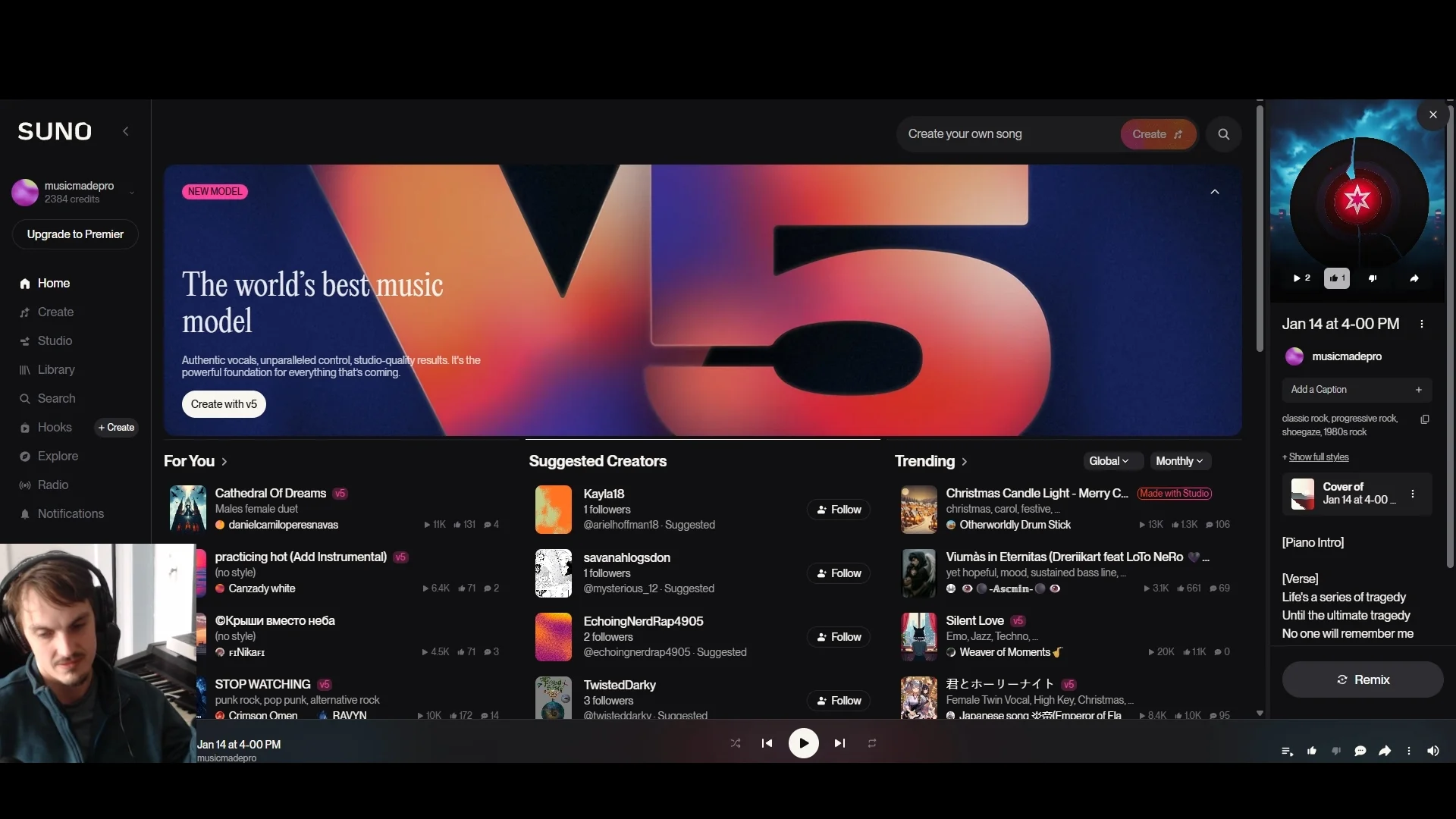
For the persona, you want about 30 seconds that show the singer's dynamic range. Pick a section that goes from quiet to loud. This gives Suno more data points to work with.
I set the style influence LOW because we want Suno referencing the audio heavily. Same with the "weirdness" setting. The goal is reproduction, not creativity.
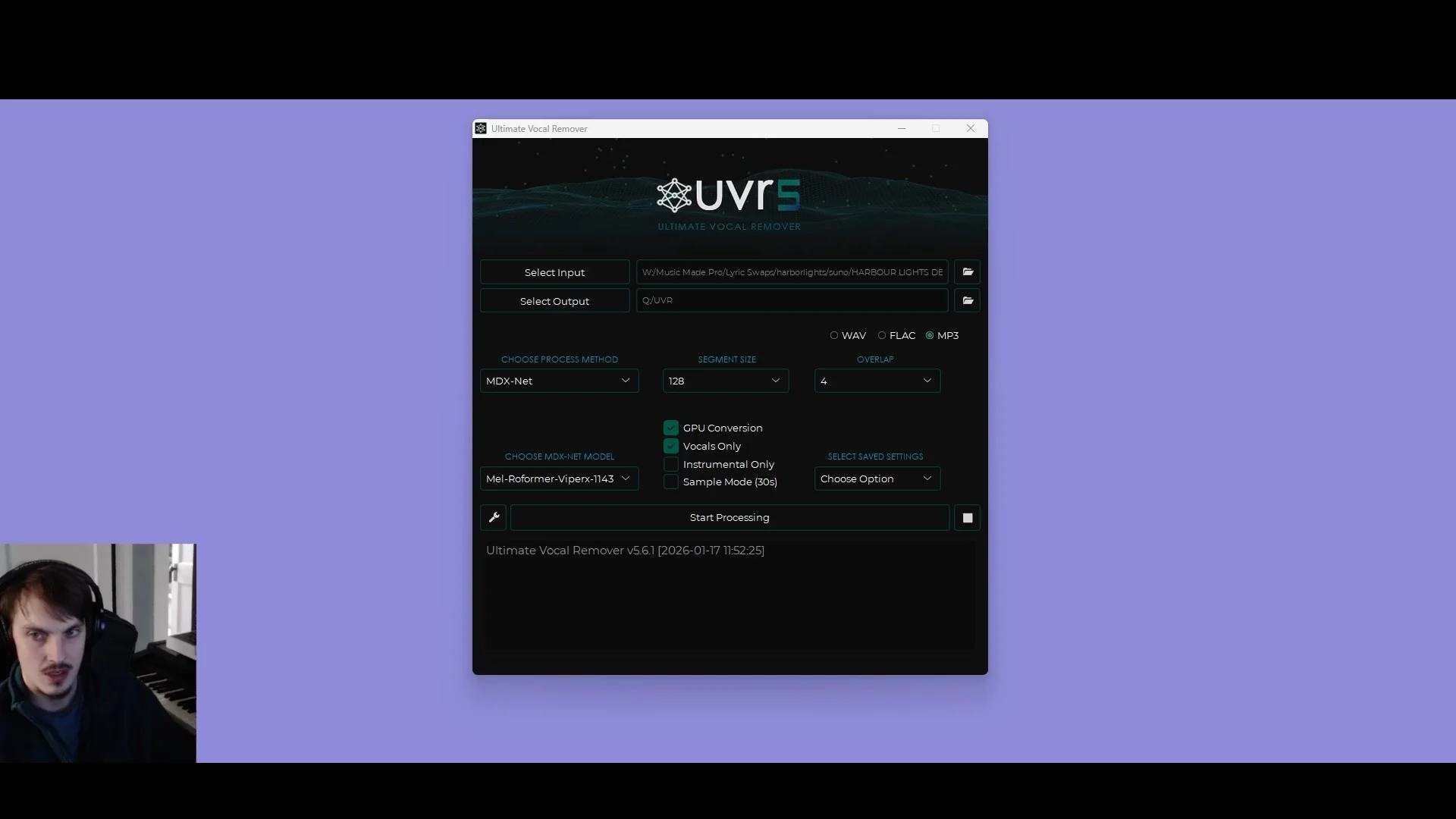
Generate multiple variations. I typically run four at a time. Then isolate the vocals using Ultimate Vocal Remover with the Reformer Viper X model and comp the best takes back into the original instrumental.
Method 2: The RVC Pre-Processing Approach
RVC stands for Retrieval-based Voice Conversion. The idea is to train a model on the target singer's voice, then convert the original vocal to sound like them before feeding it to Suno or splicing it directly into your master.
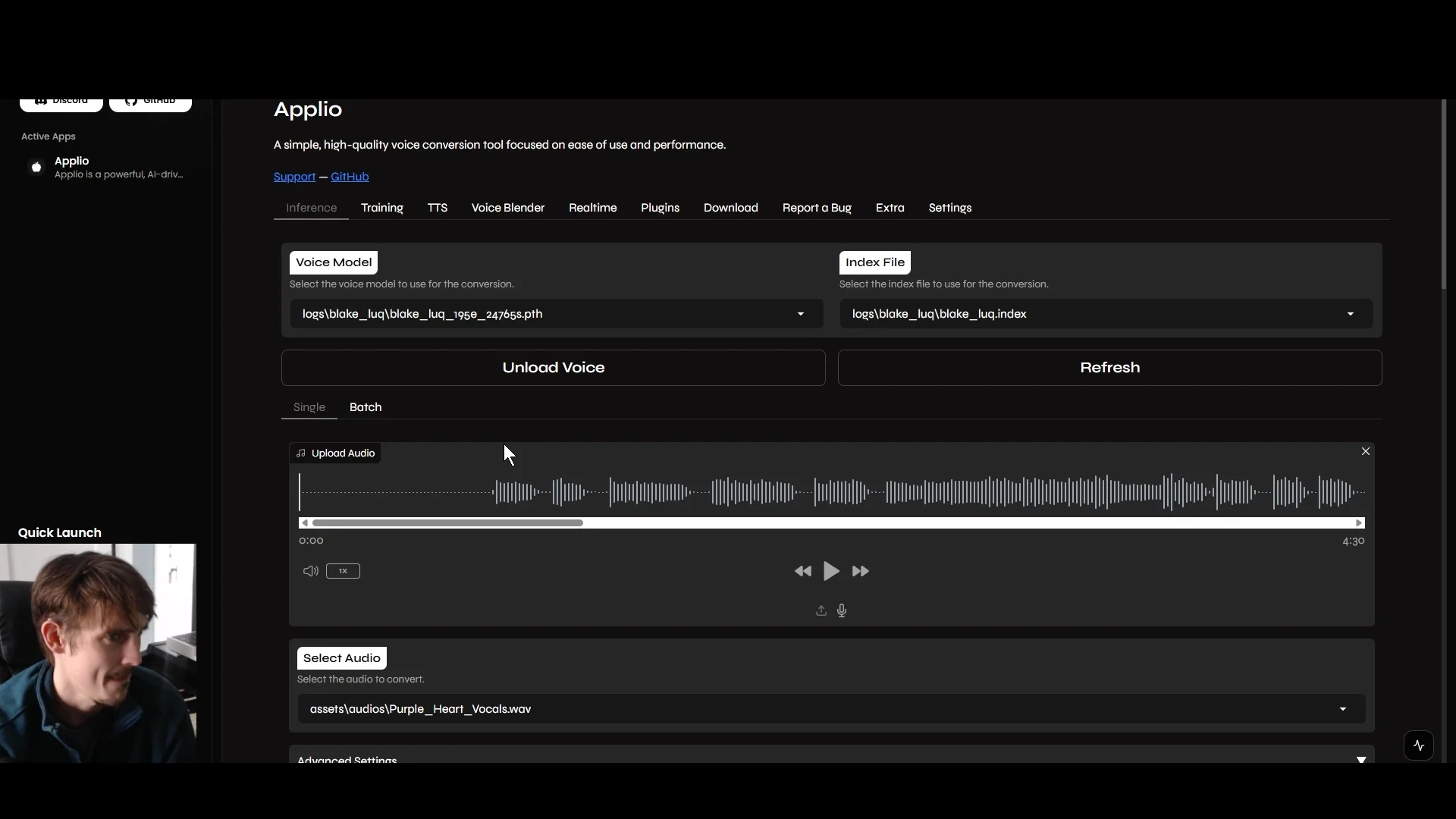
Real talk on the local-tool experience: RVC is powerful but unfriendly. The open-source toolchain (Applio, RVC WebUI, original RVC repo) assumes you are comfortable in a Python terminal, debugging CUDA/PyTorch version conflicts, and waiting through long training runs on your own GPU. None of the UIs are particularly intuitive, and the documentation is scattered across GitHub readmes and Discord servers.
We built ChangeLyric's Voice Changer specifically because that local barrier is too high for most producers. 200+ curated artist models are already trained and ready, and custom voice cloning is built in on all plans if you need a singer not in the library. If you want to do RVC the manual way, the workflow below still works in 2026. If you do not, jump to Method 3.
First, isolate the lead vocal. I recommend LALAL.AI for this, or Ultimate Vocal Remover if you prefer a local tool.
For RVC training, I tested two platforms. Weights.gg was beginner-friendly and cloud-based (it has since gone out of business).
For local training, I used Dione to run Applio locally. Dione makes the setup much easier than installing Applio from scratch. I ran about 195-200 epochs of training.
Weights.gg Shutdown Notice
Weights.gg shut down in 2025 after a strong run. Platforms with big followings can still fail when ML infrastructure costs do not match what musicians are willing to pay. For voice conversion, ChangeLyric's Voice Changer features 200+ curated artist models, and we have since added cloud custom voice training (available on all plans) so you can bring your own singer.
After conversion, I did some EQ matching and comped out the worst artifacts. Then uploaded that processed audio to Suno with the same persona settings as Method 1.
Method 3: ChangeLyric Voice Changer (The In-Between)
The Voice Changer is the third option, and it exists because the first two have real problems. Suno's policy is unreliable. Local RVC is a Python obstacle course. Producers wanted something in the middle.
The workflow: upload the isolated lead vocal (same separation step as Method 2), pick a voice from the 200+ curated artist library or upload your own training audio to clone a custom voice, run the conversion in the cloud, get the converted vocal back. No CUDA, no terminal, no Suno-policy roulette. Custom voice cloning is included on every paid plan.
Caveat that fits the craft framing: the converted vocal coming out of Voice Changer is one stop in your workflow, not the finished product. You will still want to comp it against the original timing, EQ-match it to the instrumental, and possibly chain it with Method 1 (running it through Suno) or splice it directly into the master in your DAW. For the cases where the tonal match needs another pass, sending the result through Voice Changer a second time on a slightly different model can close the gap.
For full vocalist replacement PLUS new lyrics in the same job, the related tool is Overdub Studio. It combines lyric swap with vocalist selection, so it covers the "I want different words AND a different singer" case in one workflow, including training a voice model from your project's own lead vocal. Voice Changer is the right pick when the lyrics stay the same and only the voice changes.
The Results: Method 1 Wins (When It Works)
For the original 2025 head-to-head, the Suno-only approach produced better results out of the box than RVC pre-processing. The full breakdown across all three methods:
| Criteria | Suno Persona | RVC (Local) | Voice Changer |
|---|---|---|---|
| Production Quality | Better | Degraded (artifacts) | Clean (curated models) |
| Voice Match Accuracy | ~90% | Closer match (if training is good) | Depends on model / custom clone quality |
| Workflow Effort | Low (when allowed) | High (Python, CUDA, training) | Low (cloud, no install) |
| Polishability | Radio-ready possible | Difficult | Comping + DAW work still needed |
| Platform-policy risk | High (Suno flip-flops) | None (your machine) | None (we run it) |
| Best for | Quick passes when Suno allows it | Producers who want full local control | Everyone else, plus custom voice cloning |
The RVC method did produce a closer voice match. The tradeoff is that it introduces minor sample rate distortion that trained sound engineers will notice. Some of this distortion may not be fixable in post, so you need to decide if the voice match is worth the quality tradeoff.
Why RVC Requires More Work
In this test, when I fed RVC-processed audio to Suno, the minor sampling artifacts from the voice conversion carried through to the output. Suno did not clean them up in my case. Some of these artifacts cannot be fully removed in post.
There was also a training data mismatch problem. The RVC model struggled because the vocal delivery style in the song differed from the training samples. RVC works best when the performance style matches what the model learned.
If you want to understand more about why AI vocals sometimes miss the mark, I wrote about why AI vocals fail to match the original singer in depth.
Ready to Transform Your First Song?
Join thousands of producers & clients who use ChangeLyric.
✓ Free trial available ✓ No content moderation ✓ Cancel anytime
Comping Is Essential Either Way
Regardless of which method you use, comping is non-negotiable. Suno does not nail every section, just like a real singer does not nail every take.
Generate multiple variations. Extract the vocals from each. Line them up in your DAW (Suno outputs often misalign with the original timing). Pick the best phrases from each take.
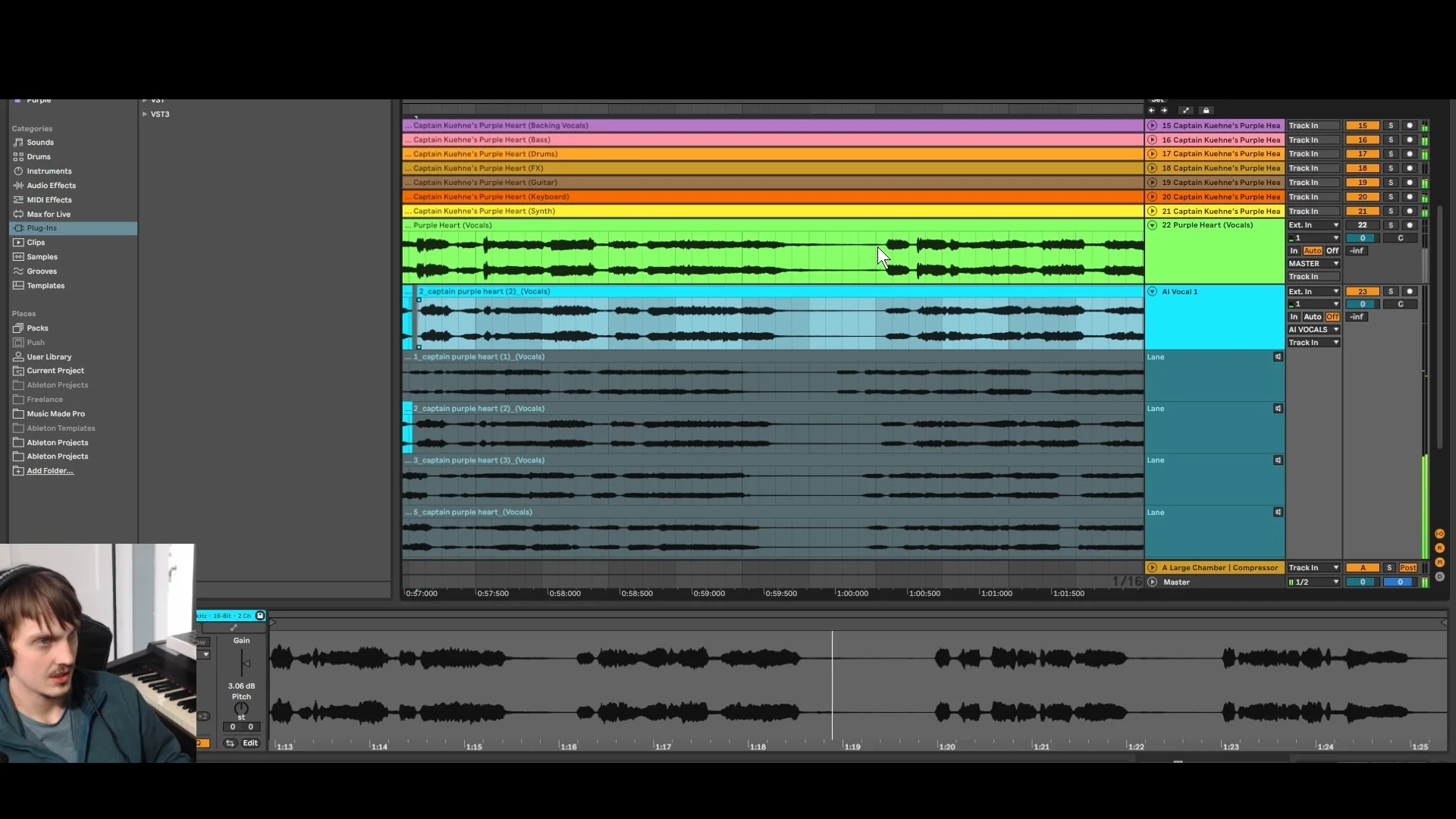
This is the same process I use for 600+ lyric swap projects. Five okay takes blended together consistently beats one "perfect" take that does not quite match.
When Local RVC Might Actually Make Sense
The local RVC approach is not completely useless. Consider it when:
- You need a significant vocal change (different gender, very different voice type)
- Suno's persona matching is currently restricted for your audio
- You want full local control with no cloud dependency
- You have a real GPU and extensive, high-quality training data
- You are willing to accept quality tradeoffs and do extensive mixing work
For most producers, the Voice Changer wins this comparison on effort-per-result. You get the curated artist library OR custom voice cloning without standing up a Python environment and burning hours on training runs.
If you do use RVC, train with more data and more epochs than I did in this test. Ensure the training data matches the performance style you need. And consider using the RVC output as a blend layer rather than a full replacement.
One thing I found: RVC will glitch out on certain phrases. When working on a full song, I ended up using some Suno-generated vocal samples to patch over the parts where RVC sounded bad. So even with the RVC approach, you will likely need Suno or Udio inpainting to fix problem sections.
My Recommended Workflow for 2026
Based on this experiment and hundreds of client projects, here is the workflow I recommend. Note that this is a chained workflow that touches multiple tools and ends in your DAW. No single tool in this list is the whole answer.
Step 1: Verify the lyrics on the original master. Suno (and most transcribers) make errors. Fix them before processing or you will sing the wrong words.
Step 2: Decide your primary path. If Suno currently allows your audio upload, try the persona route first (cheapest, fastest). If it does not, or the result is shaky, go straight to ChangeLyric's Voice Changer with either a curated model or a custom-cloned voice.
Step 3: Isolate the lead vocal first using LALAL.AI or Ultimate Vocal Remover. Both the Voice Changer path and the local RVC path need an isolated vocal as the input. Hold onto the instrumental stem too, you will need it for comping.
Step 4: Run the conversion. For Suno persona: set style influence low, weirdness low, manually set the correct gender, generate four variations. For Voice Changer: upload the isolated vocal, pick your model or upload custom training audio, run. For local RVC: train your model in Applio via Dione, then convert the isolated vocal.
Step 5: Extract vocals from the result (if you went the Suno route, use UVR or LALAL.AI on the generation). Line each take up against the original timing. Suno outputs often misalign, plan for some manual nudging in your DAW.
Step 6: Comp. Pick the best phrases from each take and stitch them together over the original instrumental. Five okay takes blended together consistently beats one "perfect" take that does not quite match.
Step 7: Chain tools where useful. Sometimes the Voice Changer output benefits from a second pass on a slightly different model, or from being fed back through Suno's persona feature, or from being patched in problem sections with Udio inpainting. There is no rule against using three tools on the same song.
Step 8: EQ-match, de-ess, fix the artifacts, and mix the new vocal in your DAW. This is where the "it's craft, not a button press" thing actually shows up. Expect 5 to 10 iterations before it sounds release-ready.
Want to skip all of this? Send the project to ChangeLyric's done-for-you service. We run this workflow for you and deliver the finished file.
Tools Mentioned
- Suno AI - Vocal generation, persona feature for audio uploads (unreliable in 2026 due to shifting platform policy)
- LALAL.AI - Vocal isolation, recommended for clean separation
- Ultimate Vocal Remover - Local vocal isolation, Reformer Viper X model
- ChangeLyric Voice Changer - Cloud-hosted RVC alternative with 200+ curated artist models and built-in custom voice cloning on all plans. Replaces what Weights.gg used to offer, with the addition of custom training and no "will the service still exist tomorrow" risk.
- ChangeLyric Overdub Studio - Vocal cloning combined with lyric swap in a single workflow. Use when you need a different singer AND different words on the same track, including training a voice model straight from your project's lead vocal.
- Dione - Local AI music launcher, easiest way to run Applio if you want the local-RVC path
- Applio - Local RVC training engine (run it through Dione, expect Python and CUDA debugging)
- Weights.gg - RIP, shut down in 2025. Listed here so you stop searching for it.
Bottom Line
There is no single best way to change a vocalist with AI in 2026. There are three legitimate paths and you should know when each one fits.
If Suno's audio-upload feature is currently allowing your reference, the persona route is still the cheapest and fastest way to get a usable take. The risk is the policy could change again before you finish the project. Treat it as a shortcut, not something to build the whole project on.
If you want a curated voice or to clone your own without local Python pain, use the ChangeLyric Voice Changer. 200+ artist models, custom voice cloning on all plans, cloud-hosted, no flip-flop risk. This is the path I recommend to most clients.
If you also need new lyrics on the same vocal swap, use Overdub Studio instead. Voice Changer keeps the original words and only changes the singer. Studio changes both words and singer in one workflow.
If you want full local control and you are comfortable with Python and a real GPU, local RVC via Dione and Applio still works. Just go in knowing the setup will eat hours and the output needs more mixing than any of the cloud options.
For targeted single-section vocal-tone matching where the rest of the song stays untouched, inpaint with the Single scramble setting in Overdub Studio is the move: one line changes per pass with the original vocal anchoring the melody, and when the tone still falls short, train a voice model from the project's lead vocal and convert the take in the Voice Changer.
Whichever path you pick, expect to chain it with at least one other tool, do real DAW work, and iterate. Change the lyrics in any song if you also need new words, and book the done-for-you service if you would rather have someone run the whole workflow for you. That offer exists precisely because this is craft, not a button press.
Copyright Reminder
Commercial rights from AI platforms only apply to ORIGINAL songs they generate. Modifying copyrighted songs gives you ZERO commercial rights to the result. The original copyright holder maintains all rights. Personal use exists in a legal gray area. Users are responsible for understanding applicable laws.
Frequently Asked Questions
Three legitimate paths in 2026. Suno's persona feature when it is currently allowed (cheapest, fastest, but Suno has flip-flopped on what audio uploads are permitted), local RVC via Dione and Applio (still valid, but expect Python and CUDA pain), and ChangeLyric's Voice Changer (200+ curated artist models plus custom voice cloning on all plans, cloud-hosted, no platform-policy risk). For most producers the Voice Changer wins on effort-per-result. Whichever path you choose, plan to chain it with comping and DAW work, this is craft, not a button press.
It depends on your priorities and your skill with the local tooling. RVC produces a closer voice match when trained well, but introduces minor sample rate artifacts that Suno can amplify and that need mixing to polish. The bigger barrier in 2026 is that running RVC locally requires Python, CUDA setup, and a real GPU, which most producers do not have ready to go. For the same outcome with none of the local setup, ChangeLyric's Voice Changer hosts curated models and custom cloning in the cloud.
At minimum: a vocal isolator (LALAL.AI or Ultimate Vocal Remover), a voice-conversion path (Suno persona when available, ChangeLyric Voice Changer, or local RVC via Dione + Applio), and your DAW for comping and mixing. For the lyrics-AND-singer-both case, add ChangeLyric Overdub Studio. The Voice Changer at changelyric.com/dashboard/voice-changer covers 200+ curated artist models plus custom voice cloning on all plans if you need a singer that is not in the library.
At least four variations per section. AI tools do not nail every line, so you need options to comp from. Extract vocals from each generation and pick the best phrases to assemble your final vocal track. Expect 5 to 10 iterations on a full song before it is release-ready.
In my original 2025 testing, yes. The minor sampling artifacts from RVC carried through to the final Suno output and could not be fully cleaned up in post. Your results may vary depending on training quality and settings. This is one of the reasons we built ChangeLyric's Voice Changer with curated models, the artifact profile is cleaner than typical local RVC training runs.
No, and anyone selling that pitch is selling you something. Every path in this article ends in your DAW with comping, EQ matching, and iteration. The AI tool is one stop in a multi-tool workflow. The right framing is craft with AI assistance, not push-button vocal swap. If you would rather not run the workflow yourself, ChangeLyric offers it as a done-for-you service at changelyric.com/service.
Need Help With Your Project?
If you would rather have someone handle the vocalist replacement for you, I offer done-for-you services through ChangeLyric. Same workflow, professional results, no learning curve.
Done-For-You By ChangeLyric