How to Change Your Voice to Match Any Singer
The full workflow I use to make my voice match any singer: sing a rough guide vocal, train a voice model, and run the full song pass in Overdub Studio.
Posted by
 William H. Mason
Related reading
How to Replicate Horizon in Overdub Studio
Horizon is not going anywhere. Here is where to find it now, and how Manual Extension in Overdub Studio replicates its exact start and end time workflow.
Change One Line in a Rap Song: The Exact Setup That Worked
A customer missed his target line eight times across three engines. Here is the setup that fixed his one-line T-Pain edit, and how to run it in Overdub Studio today.
Turn a Favorite Song Into a Custom Lullaby
Turn a song you love into a custom lullaby with your baby's name and your own words. How to pick the right track, rewrite it, and get real audio you can play at night.
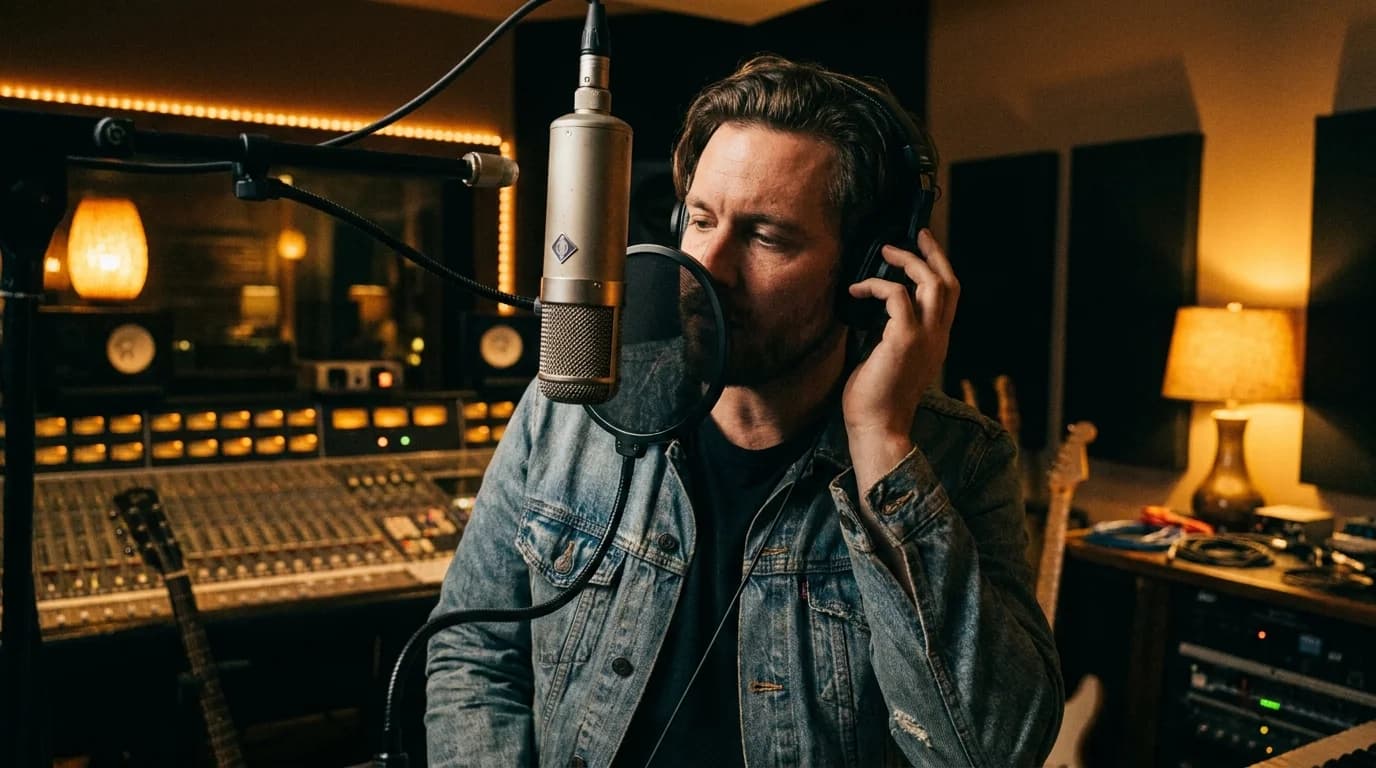
Here is the complaint I hear more than any other. The lyric swap worked, the words are right, but the voice singing them is a stranger. The original singer had a specific weight and tone, and the AI replacement sounds like a session musician reading off a card.
I have spent the last few years solving exactly this problem, first by hand on 600+ client orders and now inside the tools I built for it. This walkthrough is the full workflow: sing a rough guide vocal, train a voice model on it, convert, then let the full song pass in Overdub Studio pull the performance together. It is the same pipeline I use on paid orders.
I recorded a video of the whole thing using a real job as the example. The song is the ballad from Disney's Beauty and the Beast, a full rewrite where every line changed. The rest of this post follows the video step by step, with timestamps if you would rather jump around.
Changing Your Voice To Match Any Singer (9 min)
I sing a rough guide vocal in the DAW, train a voice model on it, run it through the voice changer, then generate full song passes until one lands.
- 0:00What the Full Song Pass is for
- 0:16Start a project and load your song
- 0:29Lyric search and auto section tagging
- 0:57Lock sections and pick the Full Song Pass
- 1:06Sing a reference vocal (pilot track)
- 2:00Train a voice model on your vocal
- 2:35Convert your vocal with the trained model
- 3:13Export the pilot mix
- 3:31Generate the Full Song Pass
- 4:09The four generation options explained
- 4:32When inpaint works best
- 4:56Full reperformance drift and voice upscaling
- 5:11Pilot mix experiments (a cappella vs master)
- 6:09Comparing your takes
- 6:48Pro tip: try full reperformance on the original master first
- 7:25Picking voices and auto re-render
- 8:18Fixing weird pronunciations phonetically
- 8:44Exporting stems and building compilations
- 9:36Wrap up
Why the Voices Drift in the First Place
I wrote a whole post about why AI vocals drift, but the short version is this. Generation models do not imitate a specific singer unless you give them a specific voice to aim at. Give them lyrics and a beat, and they invent a competent singer who is not yours.
The fix is older than the AI part of this. In studio terms an overdub is any part recorded on top of an existing performance, and matching a voice has always meant singing the part yourself and reshaping it until it sits right. If you want the background on that craft, the overdubbing page on Wikipedia covers how engineers did it for decades.
What changed is that the reshaping step no longer takes a studio and a week. A voice conversion model can take your rough take and push it toward almost any target timbre in seconds, and the generation engines can re-sing whole sections around it.
What the Full Song Pass Actually Does
Overdub Studio normally works section by section. You change a verse, render the verse, comp it in. That mode is precise and it is the right call for most jobs, which is why the Studio launch post leads with it.
But some songs fight that approach. Musicals, ballads, opera pieces, anything where the vocal floats over long phrases instead of locking to a grid. Generative models do not handle a full lyric swap on material like that very well when you feed it to them one section at a time. The Beauty and the Beast job fell straight into that bucket.
The full song pass is the other door. One render across the whole song, four generation options behind it, and you keep whichever take comes back closest. It is built for exactly the scenario where section by section keeps failing.
Step 1: Sing the Guide Vocal
This is the step people flinch at, so let me be plain. You do not have to be GOOD. The guide vocal, the pilot track, only has to carry the timing and the rough shape of the melody. If you can hum the song in the shower, you can record this.
I sing mine into any DAW. In the video I used REAPER, but anything that records a track works. Sing the new lyrics over the original, in the original key if you can manage it.
If the key is out of your range, pitch both tracks down together. Drop the original and your vocal by the same interval, sing where it is comfortable, and the relationship survives. I did not need that trick on the Disney job, but it is a standard move and it costs nothing.
A real example of where this lands: the Beauty and the Beast rewrite needed a warm grandmotherly tone for all twenty-eight rewritten lines. My guide vocal did not have it. The pipeline in the next two steps is what put it there.
Step 2: Train a Voice Model on Your Vocal
Now you teach the system what voice you are aiming for. In Studio you upscale the lead vocal and hit start training, and it trains a model on the vocal from the song itself. You can also train models on any reference audio. The voice model guide on this blog covers sourcing and prep in depth.
The one rule that matters: give it a CLEAN single vocal signal. Strip anything that is not the one voice. On my Beauty and the Beast recording a dog barked mid-take, so that chunk got cut. Layered harmonies and counter melodies go too, because a model trained on two voices at once will smear between them.
Garbage in, garbage out applies double here. Ten minutes spent trimming the training audio saves you from a metallic sounding conversion later. This is the least glamorous step and the one most worth doing properly.
Step 3: Convert the Vocal and Build the Pilot Mix
Take your sung track and run it through the trained model. You can do this inside the project or through the voice changer on the dashboard: load the audio, pick the model you just trained, convert.
The output will be closer to the target voice but it will still carry your performance, missed notes included. Do not fix anything yet. That is the next step's job, and it does the fixing better than manual tuning does.
Export the converted vocal together with the instrumental. The two files together form the pilot mix, a rough demo of what you want the final render to sound like. The instrumental matters more than people expect, because key control behaves better when the engine can hear the bed underneath the vocal.
Step 4: Run the Full Song Pass
Back in Studio, the earlier steps should already be done: lyrics in, sections locked. If you pulled lyrics from the built in database you are set, and Genius is the fallback when a song is not in there. Then you click generate full song pass and choose what the engine renders from. There are four options.
- Original master: the song exactly as you uploaded it. The engine re-performs from this reference.
- Full reperformance: operates like a cover. The engine re-sings the whole song from scratch, aimed at your new lyrics.
- Inpaint: loops through the song and regenerates specific regions, leaving the rest of the original audio intact.
- Pilot mix: your converted vocal plus instrumental from Step 3. You can hand it the a cappella or the master version and see which steers better.
You are not stuck with one. Render a few, listen, keep the best. Generative audio is a WILD animal and some days it decides a musical is beyond it, which is exactly why there are four doors instead of one.
Which Option Wins
Inpaint is the specialist for verses, bridges, and rapid fire rap. I do not fully understand why engines nail a machine gun rap verse while choking on a slow ballad phrase, but they do, and inpaint on a rap verse usually only needs an upscale afterwards to be usable.
Full reperformance is the generalist. Its weakness is tonality drift, a take that sings the right words with a voice that leans away from the original singer. The fix is the voice upscaling step, which snaps the timbre back. Plan on upscaling almost everything that comes out of these two modes.
One honest caveat on choruses. Full reperformance handles chorus lyrics fine but tends to flatten the stacked harmonies into a single line. If the harmony stack is the point of your song, expect to rebuild it or lean on inpaint around the chorus.
Pro Tips From the Video
Try full reperformance on the original master first. Before you sing a note, before you train anything. On the Disney job that pass came back so close to the original singer that it beat takes I steered manually. It costs you one render to find out.
Let the trained model auto re-render. If a vocal model is trained in the project, regenerating picks it as the default voice and the output lands much closer. The little microphone in the voice picker is where you tag voices by singer name or pick your own trained models, and I compared the main approaches to that whole problem in the vocalist swap breakdown.
Fix pronunciation phonetically. In the video the engine sang "certificate" like it had never seen the word before. Rewriting tricky words the way they sound, phonetically, fixes most of that. For pitch problems that survive everything else, tools like Melodyne are still the standard manual backstop.
Compare takes before you polish. The acapella based pass and the master based pass of the same job can sound like different songs. Pitch drifts more on some sources than others, and hearing them back to back tells you which foundation to build on.
Exporting and Comping
When a take is right, mark it as a keeper. Takes come back with the instrumental baked in, which is on purpose, because the engine performs better on full mixes. Do not panic when you hear the bed. The isolation happens on the keeper in the background, and playback plus download switch to vocals only.
Step four of the project is where everything lands. Download the original stems and mix those in yourself, or hit build compilations. That button places every kept section take at its correct spot on the timeline and drops the full passes in alongside, so you can cut the final vocal together in your DAW at will. The Horizon style windows covered in the manual extension walkthrough follow this same export path.
When to Just Hire It Out
Read back over this post honestly. Singing takes, model training, render strategies, comping in a DAW. That is a producer's afternoon, and if you enjoy the iteration loop the tool is built for you. Everything above runs on a ChangeLyric membership, and there is a 7 day free trial with a card on file.
If you just need one perfect song for a birthday and none of this sounds like fun, that is what the custom song service is for. I run those orders through this exact pipeline and you never have to open a DAW. After 600 lyric swaps I have a decent sense of which side of that line a job falls on, and there is no shame in either one.
Ready to Transform Your First Song?
Join thousands of producers & clients who use ChangeLyric.
✓ Free trial available ✓ No content moderation ✓ Cancel anytime
Copyright Reminder
Commercial rights from AI platforms only apply to ORIGINAL songs they generate. Modifying copyrighted songs gives you ZERO commercial rights to the result. The original copyright holder maintains all rights. Personal use exists in a legal gray area. Users are responsible for understanding applicable laws.
Frequently Asked Questions
No. The guide vocal only needs the right timing and roughly the right notes, because the full song pass re-performs and smooths the vocal after conversion. If the key is out of your range, pitch the original and your vocal down by the same interval and sing where it is comfortable.
Full reperformance re-sings the whole song from scratch, similar to a cover, using your new lyrics. Inpaint loops through the song and regenerates only specific regions while leaving the rest of the original audio untouched. Inpaint tends to win on verses, bridges, and rapid fire rap, while full reperformance is the better generalist.
Run full reperformance against the original master before you do anything else. It costs one render and it sometimes comes back remarkably close to the original singer, which saves you the whole guide vocal and training path. If it disappoints, then sing the pilot track and steer.
Generation runs on the full master mix on purpose, because the engine performs better on full mixes than on isolated vocals. Every audition take includes the instrumental. Mark the take as a keeper and Studio isolates the vocal automatically, after which playback and download give you vocals only.
One clean, single vocal signal. Cut anything that is not the voice you want, including background noise, barking dogs, layered harmonies, and counter melodies, because a model trained on multiple voices will smear between them.
Rewrite the problem word phonetically, spelled the way it should sound. In the video the engine mangled the word certificate until it was respelled by sound. It is a small manual edit and it fixes most pronunciation problems.
Everything in this workflow is included in a ChangeLyric membership at $9 per month, and new accounts get a 7 day free trial with a card on file. If you would rather not run the pipeline yourself, the done-for-you service handles it per order.
Try the Full Song Pass
Open Overdub Studio, load a song, and run one full reperformance pass before anything else. If it nails the take, you are done in minutes. If not, the guide vocal path is waiting.
Open Overdub Studio