9 Low Budget Music Video Tips That Work
Practical tips for making a music video on a tight budget. Covers gear, lighting, locations, AI tools, and editing workflows that actually produce results.
Posted by
 William H. Mason
Related reading
Tokyo by Dwin: High to Fly Stealth Lyric Swap
A one-word lyric swap in Dwin's EDM track Tokyo, changing high to fly so the edit stays undetectable. Before and after audio and the producer's sidechain technique.
Why Doesn't the Preview Audio Have My Changes? [Studio + Classic]
Short answer: what you are auditioning is a rough mockup or a raw take, not the deliverable. Your actual swap lives in the stems and comp lanes, and those require assembly in a DAW. Here is how the output actually works and what to do with it.
How To Make an AI Voice Model That Actually Sounds Good
A practical guide to building AI voice models that don't suck. Covers vocal isolation, audio cleanup, training platforms, and the mistakes most people make on their first attempt.
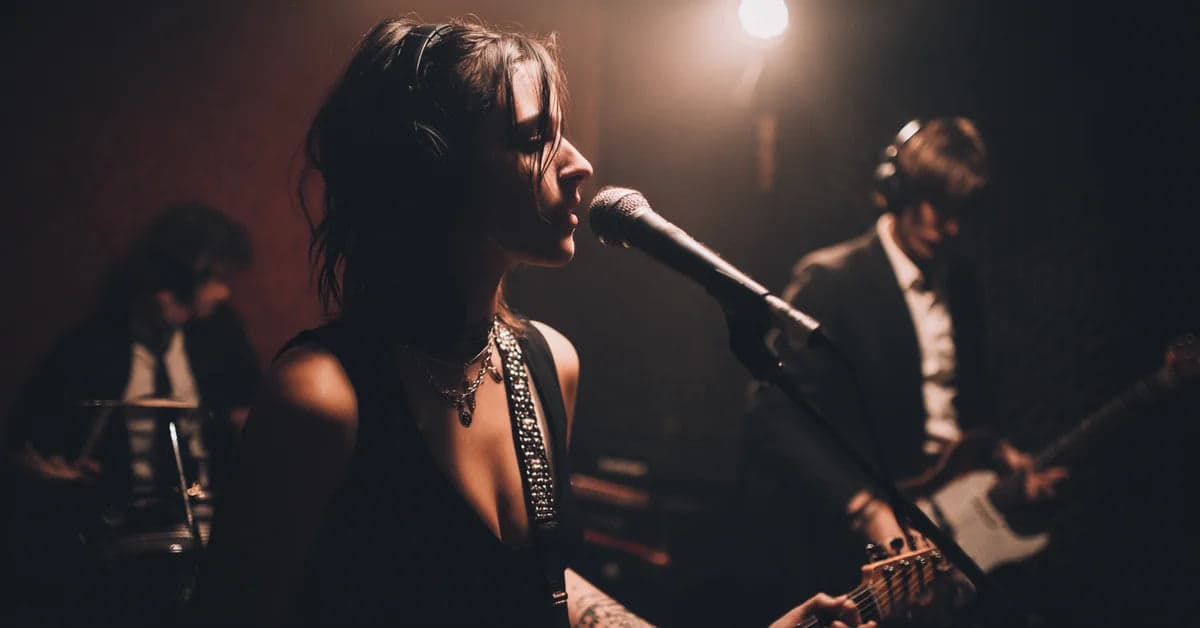
You need a music video but you do not have a budget. That is the reality for most independent artists, and honestly, it has been the reality for most of music history. The good news is that a zero-budget or near-zero-budget music video can still look professional and connect with your audience if you approach it with the right mindset.
I have been working in music production and AI music tools for years, and I have seen artists throw thousands at a video that gets 200 views. I have also seen someone shoot on an iPhone in their backyard and get picked up by playlist curators. The difference is not money. It is strategy.
Here are nine tips that actually work for making a low budget music video. No fluff, no "just be creative" platitudes. Real, actionable stuff you can apply to your next shoot. If you are still stuck on what to film, this music video idea generator has 50+ concepts organized by budget.
1. Validate Your Video Concept First
Before you set up a single shot, ask yourself: is a full music video actually the best use of your time right now? This is not a trick question. A lot of independent artists default to "I need a music video" when what they actually need is content that moves the needle.
Short-form content on TikTok, Instagram Reels, and YouTube Shorts can generate more engagement than a traditional 3-4 minute music video. A 30-second clip of you performing the catchiest part of your song with good lighting can outperform a full video with a narrative storyline that nobody watches past the first minute.
That said, music videos still matter for credibility, for YouTube search, and for establishing a visual identity. Just make sure you are not defaulting to "music video" when a series of short clips would serve you better. Think about what will actually get shared. If you decide a full video is the move, commit to it fully and keep reading.
2. Leverage What You Already Have
Most first-time video directors start by thinking about what they need to buy or rent. Flip that. Start by inventorying what you already have access to. Think in four categories: locations, people, equipment, and props.
Locations: Your apartment, a friend's cool-looking house, a local park, a rooftop with a city view, a parking garage at night. Outdoor locations are especially valuable because you do not need to worry about lighting equipment. Natural light does the heavy lifting for free.
People: Friends who are willing to be on camera, local dancers from your social circle, your bandmates. Anyone who is game and will not flake on shoot day. More on recruiting help later.
Equipment: Your smartphone is probably good enough. Any iPhone from the 11 Pro onward or a recent Samsung Galaxy shoots excellent video. A tripod or cheap gimbal is the single most impactful purchase you can make.
Props and costumes: Raid your closet. Hit up a thrift store. You do not need much. One distinctive outfit or one interesting prop can anchor an entire visual concept.
There is also the AI option now. Tools like Kling, Veo 3, Pika Labs, and Runway ML can generate B-roll footage from text prompts. Free tiers have watermarks, but the technology is getting usable for supplementary shots.
I would not build an entire video around AI generation, but it works for transition shots, abstract visuals, or background footage you would otherwise need to license. The same goes for the audio side, where you can lean on AI tools to make music with AI before you ever pick up a camera.
3. One Location, One Shoot Day
This is the single biggest logistical tip I can give you. Plan your entire video around one location and one continuous shoot day. Every additional location multiplies your problems. Every additional shoot day exponentially increases the chance that someone does not show up, the weather changes, or you lose momentum.
Think about it from a volunteer coordination standpoint. If you are asking friends to help for free, asking them to commit to one afternoon is reasonable. Asking them to come back next Saturday because you did not finish is how you lose your crew. People have lives.
Instead of changing locations, change angles. Shoot wide, shoot tight, shoot from above, shoot from ground level. Change the lighting by moving to a different part of the space or waiting for the sun to shift. A skilled editor can make one location feel like three with enough variety in framing and color grading.
4. Establish One Visual Hook
Professional music videos often have one thing that makes them instantly recognizable. It might be choreography, a distinctive color palette, a recurring visual motif, or a specific costume. You need one of these. Not five. One.
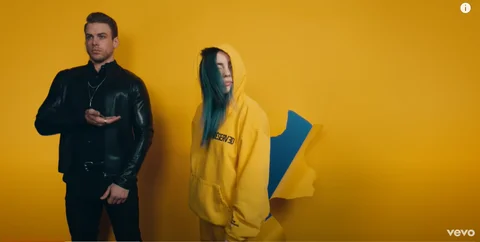
Billie Eilish built an entire visual brand around oversized clothing and neon green. OK Go built theirs around elaborate one-take concepts. You do not need anything that extreme, but you do need a through line that ties everything together.
A constraint here is actually your friend. If your hook is "we all wear white and one person wears red," that is cheap to execute and visually striking. If your hook is "I am always holding this glowing object," you can make that with a cheap LED and some creative camera work. The simpler the concept, the easier it is to pull off on no budget. And simpler concepts are often more memorable anyway.
5. Recruit Your Personal Network
You need people, and you probably cannot pay them. That is OK if you approach it right. The key is matching roles to existing interests. Your friend who is always on Instagram taking photos? Ask them to handle camera. The person who is into fashion? They are your wardrobe consultant. The one who just likes hanging out? They are your production assistant, carrying things and keeping the schedule on track.
When you reach out, share your vision first. Show them the song, describe the concept, and give them a concrete timeline. "Hey, I am shooting a music video next Saturday from 2-6pm at the park. The concept is [X]. I think you would be perfect for [specific role] because [genuine reason]. Can you make it?" That is infinitely better than "yo wanna be in my music video?"
If you need actors or dancers beyond your circle, Backstage has listings for both paid and unpaid roles. Be upfront about compensation. If you cannot pay, at least offer footage for their portfolio, food on set, and credits. Treating people professionally even on a zero-budget project is how you build a crew that comes back for the next one.
6. Master Budget Lighting
Lighting matters more than your camera. I will say that again for the people in the back. Lighting matters more than your camera. A $200 phone with great lighting will produce better footage than a $3000 camera with bad lighting every single time.
The cheapest good lighting is the sun. Shoot outdoors on an overcast day and you get soft, even light with no harsh shadows. This is basically a giant free softbox. If you want more drama, shoot during golden hour, which is the 30-60 minutes right after sunrise or before sunset. The warm, directional light during these windows is what cinematographers spend thousands trying to recreate in studios.
For indoor shots, position your subject near a large window. The bigger the window, the softer the light. Hang a white sheet over the window if the sunlight is too harsh. If you absolutely need artificial light, a couple of LED panel lights for $30-50 each will get you surprisingly far. Point them at a white wall or ceiling to bounce the light rather than blasting your subject directly.
Ready to Transform Your First Song?
Join thousands of producers & clients who use ChangeLyric.
✓ Free trial available ✓ No content moderation ✓ Cancel anytime
7. Plan Your Camera Setup
If you are shooting on a phone, shoot in 4K at 60fps. The 4K gives you room to crop and reframe in post. The 60fps gives you the option to slow footage down to 30fps for smooth slow-motion, which instantly makes anything look more cinematic.
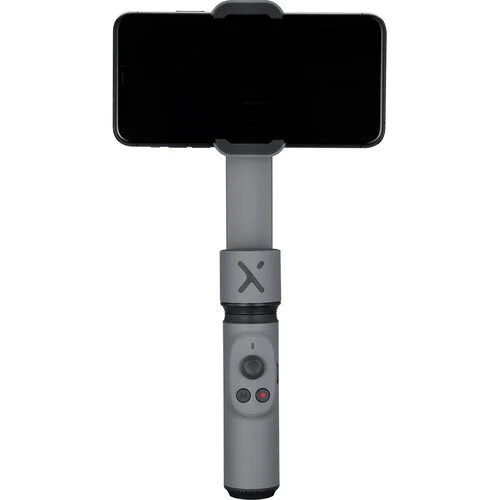
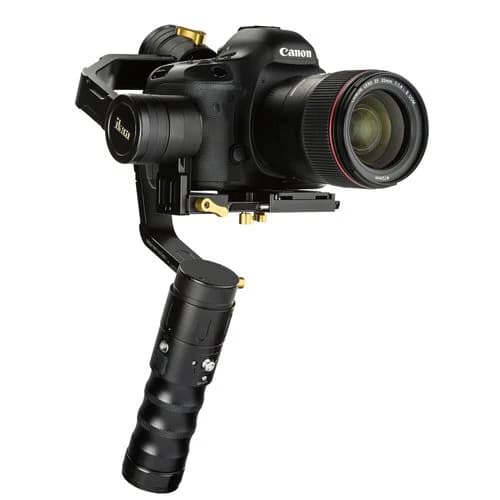
The single best upgrade you can make is a gimbal. A phone gimbal runs about $50-100 and eliminates the shaky handheld look that screams amateur. If you are willing to invest around $1000, a Canon EOS Rebel DSLR with a kit lens gives you actual depth of field, which is that blurry background look that makes a shot feel cinematic.
A tripod works but limits you to static shots. I would recommend having at least one person dedicated to camera operation rather than relying entirely on a tripod. A human operator naturally introduces subtle movement that feels organic. Static tripod shots are fine for certain moments, but an entire video of locked-off framing gets boring fast.
One more thing. Always shoot horizontal for music videos. Vertical is great for Reels and TikTok, but your music video should be widescreen. You can always crop widescreen footage to vertical for social clips later, but you cannot go the other way.
8. Edit It Yourself with Free Tools
Professional editing used to require expensive software. Not anymore. DaVinci Resolve is free and it is legitimately professional-grade. Hollywood colorists use this software. The free version has everything you need: editing, color grading, audio mixing, and effects.
Other free options include iMovie if you are on Mac, CapCut for a more intuitive mobile-first experience, and VSDC if you are on Windows and want something simpler than Resolve. But honestly, DaVinci Resolve is worth learning. The skills transfer directly to professional work.
AI is also changing the editing workflow in meaningful ways. Most modern editors now include auto-captioning, noise removal, and basic color matching between shots. Some tools can generate rough cuts by analyzing your footage and finding the best takes. This is not a replacement for intentional editing, but it can speed up the tedious parts significantly.
The workflow I recommend is to shoot your real performance footage, generate any AI B-roll you need for supplementary shots, then edit everything together in DaVinci Resolve. Use LALAL.AI or a similar vocal isolation tool if you need to separate vocals from your instrumental for specific edit points. That same isolation step is the foundation of building an AI voice model if you ever want to recreate a vocal entirely.
If you are working with custom lyrics or need to adjust what the singer says in your track, ChangeLyric can handle that side of the process before you even get to the video stage.
9. Follow the Rule of One
Here is the principle that ties everything together. The Rule of One. One location. One shoot day. One visual hook. One camera operator. One editor. When you try to do too much with too little, everything suffers. When you commit fully to one strong concept and execute it well, the result looks intentional rather than cheap.
The difference between a low-budget video that looks low-budget and a low-budget video that looks stylish is almost always about focus. Constraints breed creativity, but only if you actually honor the constraints instead of fighting them.
Think about some of the most iconic music videos of all time. "Weapon of Choice" by Fatboy Slim is Christopher Walken dancing in an empty hotel lobby. One location, one performer, one concept. "Single Ladies" by Beyonce is essentially three dancers on a white background. The execution is what makes it memorable, not the production budget.
Bonus: Three Budget Tiers for 2026
Let me break this down into practical budget tiers so you know exactly where to allocate whatever money you do have.
Tier 1: Zero Budget ($0)
- Shoot on your phone in 4K/60fps
- Natural outdoor lighting only
- One location you already have access to
- Friends as cast and crew
- Edit in DaVinci Resolve (free)
- AI B-roll from free tiers of Kling or Pika
Tier 2: Minimal Budget ($100-300)
- Phone gimbal ($50-100) for stabilized footage
- One or two LED panels ($30-50 each) for indoor lighting control
- Props and wardrobe from a thrift store ($20-50)
- Food for your crew on shoot day ($30-50)
- Paid AI video tool subscription for higher quality B-roll
Tier 3: Modest Budget ($500-1000)
- Used Canon Rebel DSLR with kit lens ($300-500)
- DSLR gimbal ($150-200) for smooth camera movement
- Proper lighting kit ($50-100)
- Location rental or permit if needed ($50-100)
- Small payment for one or two key performers
Do Not Forget About the Audio
Here is something a lot of first-time video directors overlook. The audio in your music video matters just as much as the visual quality. Your final video should use your mastered studio track, not whatever your camera mic picked up on set. Sync your footage to the real audio in post.
If you are lip-syncing, play the track on a speaker during the shoot so everyone can stay on beat. Record this reference audio with your camera so you have a waveform to sync to during editing. Most editing software can auto-sync audio tracks if you have a reference.
And if you still need to finalize the song itself, maybe you want to clean up explicit lyrics for a radio edit version or try ChangeLyric to customize the words before you shoot. It is way easier to change lyrics before your video is locked than to reshoot lip-sync footage.
Common Mistakes to Avoid
After seeing hundreds of low-budget music videos, here are the patterns that kill otherwise good ideas:
- Overcomplicating the narrative. If your video needs a five-paragraph explanation to make sense, simplify it. Performance-based videos with strong visuals almost always work better than poorly executed story-driven videos.
- Ignoring audio sync. Nothing screams amateur louder than lips that do not match the words. Take the time to sync properly in post.
- Too many locations. I already covered this, but it bears repeating. One strong location beats three mediocre ones.
- Relying entirely on AI-generated footage. AI video tools are useful for supplementary shots, but a video that is 100% AI-generated looks like it. Audiences can tell. Use AI to enhance, not replace, real footage.
- Skipping color grading. Ten minutes of basic color grading in DaVinci Resolve will transform your footage. Even just adding contrast and a subtle color tint makes a massive difference.
The AI Video Landscape in 2026
I want to be honest about where AI video generation stands right now. Tools like Veo 3, Kling, Sora, Pika, and Runway ML have made enormous progress. You can generate footage that looks decent in isolation. But there is a critical gap between "looks good in a 5-second clip" and "holds up across a 3-minute music video."
The sweet spot for AI in music videos right now is supplementary footage. Dreamy transition shots, abstract visuals during instrumental breaks, establishing shots of locations you cannot physically access. Use it as one ingredient, not the whole meal.
Where AI genuinely shines for musicians is on the audio production side. If you need to adjust your track before shooting, whether that is changing the vocalist, modifying lyrics with ChangeLyric, or isolating stems for editing purposes, the AI tools available today are genuinely useful and keep improving.
The video side is catching up but is not there yet for primary footage.
Just Shoot the Thing
The biggest enemy of a good music video is not a lack of budget. It is a lack of action. I have talked to dozens of artists who spent months planning their "perfect" video concept and never shot a single frame. Meanwhile, the artist down the street grabbed their phone, shot something simple, and posted it.
Done is better than perfect, especially for your first few videos. Each one you make teaches you more than any article, including this one. Your first video will have problems. Your second will be better. By your fifth, you will have a workflow that produces consistent results on whatever budget you have.
Pick one tip from this list, build your concept around it, and go shoot something this weekend. You do not need permission. You do not need a bigger budget. You need to press record.
Copyright Reminder
If you are using copyrighted music in your video, the original copyright holder retains all rights regardless of any visual content you create. Using AI tools to modify copyrighted songs does not grant you new rights to the underlying work. Always obtain proper licensing for any music you use commercially. Personal and non-commercial use exists in a legal gray area. Users are responsible for understanding and complying with applicable copyright laws in their jurisdiction.
Frequently Asked Questions
You can make a music video for literally $0 using your smartphone, natural outdoor lighting, free editing software like DaVinci Resolve, and friends as your crew. A $100-300 investment in a phone gimbal and basic LED lighting will noticeably improve quality. For $500-1000, you can add a used DSLR camera and gimbal for a more cinematic look.
Yes. Any modern smartphone from roughly 2019 onward shoots excellent video. Shoot in 4K at 60fps to give yourself flexibility in editing. The single most impactful upgrade is a phone gimbal for $50-100, which eliminates shaky footage. Good lighting matters far more than camera quality.
No. AI video tools like Kling, Veo 3, and Runway ML are useful for supplementary shots such as transitions, abstract visuals, and B-roll. But a fully AI-generated music video still looks noticeably artificial across a full song length. Use AI to enhance real footage, not replace it.
DaVinci Resolve is the best free option by a wide margin. It includes professional-grade editing, color grading, audio mixing, and effects. Hollywood professionals use it. Other free options include iMovie (Mac), CapCut (mobile-first), and VSDC (Windows).
Lighting is the single most important factor in making your video look professional. It matters more than your camera. Shoot outdoors on an overcast day for soft even lighting, or during golden hour for warm cinematic light. For indoor shots, position subjects near large windows. Two LED panels costing $30-50 each can handle most basic indoor setups.
Play your mastered track on a speaker during the shoot so performers can stay on beat. Your camera mic will record this reference audio, which you can use as a sync guide in your editor. Most editing software can auto-sync using the audio waveform. Never use the camera audio as your final audio track, always replace it with the studio master.